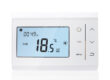
The programmable timer function of a boiler thermostat allows users to flexibly adjust the temperature according to different time periods, improving living comfort and effectively saving energy. The following details how to configure this function, covering three stages: access, parameter settings, and verification/saving.

First, you need to find the access point for the programmable timer. If using a traditional thermostat with physical buttons and a display screen, you’ll usually find buttons labeled “Settings,” “Menu,” or “Programming” on the device panel. Press and hold these buttons for 2-3 seconds; the screen will switch to the settings interface. Use the up, down, left, and right arrow keys or the knob to find “Timer Settings” or “Programming Mode” in the menu options and confirm entry. For smart thermostats that support remote control via a mobile app, ensure the device and your phone are on the same network. Open the corresponding app, find the target boiler thermostat in the device list, and click to enter the device details page. On the page, find the “Timer,” “Programming,” or “Scene Settings” entry point and click to enter the timer settings interface. Some high-end models also support voice control. Users simply need to say a preset wake-up word, such as “Xiao Ai” or “Hi Siri,” and then give the command “Open boiler thermostat programming timer settings.” The device will guide the user through the subsequent operations via voice prompts.
After entering the timer settings interface, you can begin setting specific parameters. Taking daily timer settings as an example, first select the desired time period, such as 6:00 AM to 8:00 AM. This is the time when people get up and prepare to leave the house, and a higher temperature is usually needed to quickly raise the indoor temperature. In the time setting area, use the number keys or scroll up and down to set the start time to 6:00 AM and the end time to 8:00 AM. Next, set the target temperature for that time period. Based on personal comfort and local climate, setting the temperature to around 20-22℃ is generally suitable. After setting the first time period, you can continue to set other time periods. For example, from 8 AM to 5 PM, when no one may be home, the temperature can be lowered appropriately, such as to 16-18℃, to save energy. From 5 PM to 10 PM, when family members gradually return home, the temperature can be adjusted back to 20-22℃. From 10 PM to 6 AM the next morning, during sleep, the temperature can be lowered further, to around 16℃. If the device supports weekly timers, different timers can be set for different days of the week. For example, weekday and weekend schedules differ, and the corresponding temperature requirements also differ, allowing for personalized settings.
After setting the parameters, you need to carefully check them to ensure that the time and temperature settings for each time period are accurate. After checking, find the “Save,” “Confirm,” or “Apply” buttons and click to save the settings. Some devices will take effect immediately after saving, while others may require a restart or a period of time for the new timer to run. To verify whether the settings are successful, observe the time and temperature settings displayed on the device’s screen to see if they match your settings; you can also view the device’s real-time status and the list of scheduled tasks through the mobile app. If you find any problems with the settings, you can re-enter the timer settings interface to modify and save them.
There are also some precautions to take when setting the timer program for a boiler thermostat. Different brands and models of thermostats may have different user interfaces and setting methods. It is best to read the product manual before use to understand the specific operating procedures and functional features of the equipment. When setting the temperature, adjust it reasonably according to the actual situation to avoid setting it too high or too low, which will affect comfort and waste energy. At the same time, regularly check whether the timer setting is working properly. If the equipment is found not to operate according to the set time or temperature, it may be a equipment malfunction or a network problem, which needs to be investigated and resolved promptly.