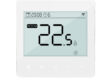
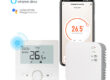
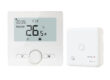
A thermostat display that does not turn on is a common issue during use, and it directly affects temperature settings and system monitoring. A blank screen does not always mean the device is completely damaged; in many cases, the cause lies in power supply, wiring, or configuration issues. Through systematic troubleshooting, the root cause can often be identified and appropriate measures can be taken to restore normal display function.

Check Whether the Power Supply Is Working Properly
When the thermostat display remains off, the first step is to confirm that the power supply is functioning normally. Check whether the power cables are securely connected, the power switch is turned on, and whether there is any interruption in power. If the thermostat relies on an external power source, the input voltage should also be verified to ensure it meets the device’s requirements. Power-related issues are among the most common causes of a non-responsive display.
Inspect Internal Wiring and Electrical Contacts
After confirming that power is available, the next step is to inspect the internal wiring of the thermostat. Over time, terminals may loosen or develop oxidation, interrupting electrical continuity and preventing the display from lighting up. Re-securing loose connections and cleaning contact points can often resolve the issue. During inspection, the device should always be powered off to ensure operational safety.
Determine Whether the Display Module Is Faulty
If no abnormalities are found with the power supply or wiring, the display module itself may be damaged or aged. Initial judgment can be made by observing whether there are signs such as flickering backlight, dim illumination, or intermittent display. These symptoms are often associated with display component degradation or internal failure and usually require further testing.
At this stage, attention is commonly paid to the following signs:
The screen shows no response at all
Display brightness is noticeably low
Display content appears and disappears intermittently
These indicators help distinguish display module faults from other potential issues.
Check for Abnormal Settings or System States
Some thermostats are designed to turn off or dim the display under certain settings or protective system states. Checking for accidental button presses, timer-based shutdowns, or activated energy-saving modes can help rule out non-hardware causes of a blank display. Restoring factory settings or restarting the device may confirm whether the issue is related to system configuration.
Evaluate Overall System Operation
A non-functioning display may occur alongside control malfunctions or may be limited to the display component only. Observing whether the thermostat can still control heating or cooling equipment provides insight into the scope of the problem. If system operation remains normal while the display is off, the issue is more likely confined to the display module or its related circuitry.
Conclusion
Solving the problem of a thermostat display not turning on involves checking the power supply, inspecting wiring, evaluating the display module, reviewing system settings, and observing overall system behavior. Step-by-step troubleshooting helps narrow down the fault source and reduces the risk of misdiagnosis. A structured diagnostic process not only restores display functionality but also supports long-term reliable operation of the thermostat.